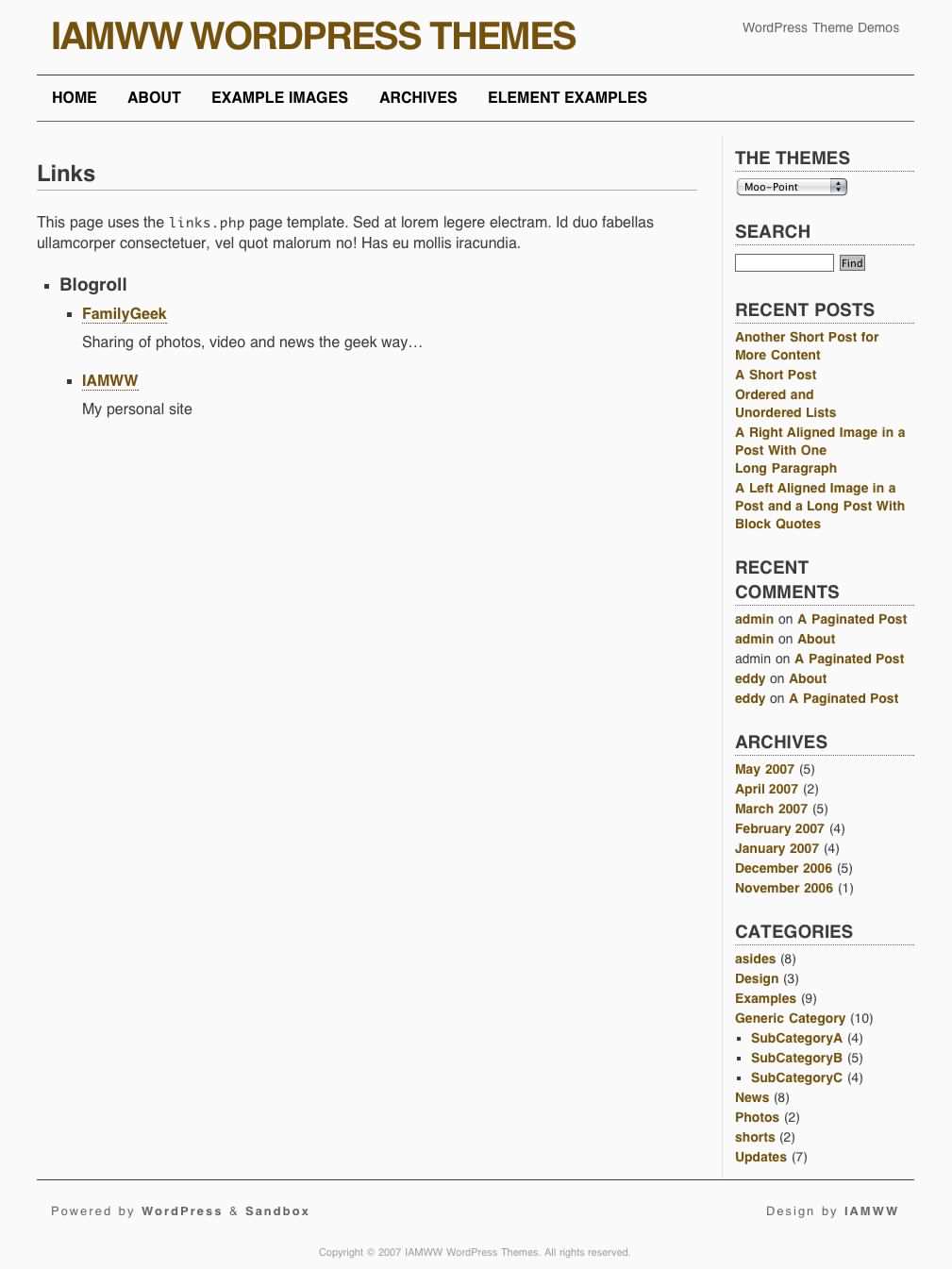
WordPress Theme: Moo-Point

The Moo-Point design was developed for the Sandbox Designs Competition.

Moo-Point is based on a two-column layout with header navigation and a right-hand sidebar. The theme is meant to be easy to read with shades of gray and brown for a little color.

The design of Moo-Point is so simple, it is just like a cow’s opinion. It’s moo! Some may need to see this for a better understanding.

Features:

  • Fixed width
  • Widget ready
  • Horizontal top navigation based on one of Stu Nicholls’ CSS only drop-down menus
  • A grid based layout with one right-hand sidebar
  • Built on Sandbox v1.5.2 (Moo-Point v1.75 only)
  • Compatible with WordPress 2.3+
  • Gravatar support built in (Moo-Point v1.75 only)
  • There is no options page with this theme
  • No plugins are required

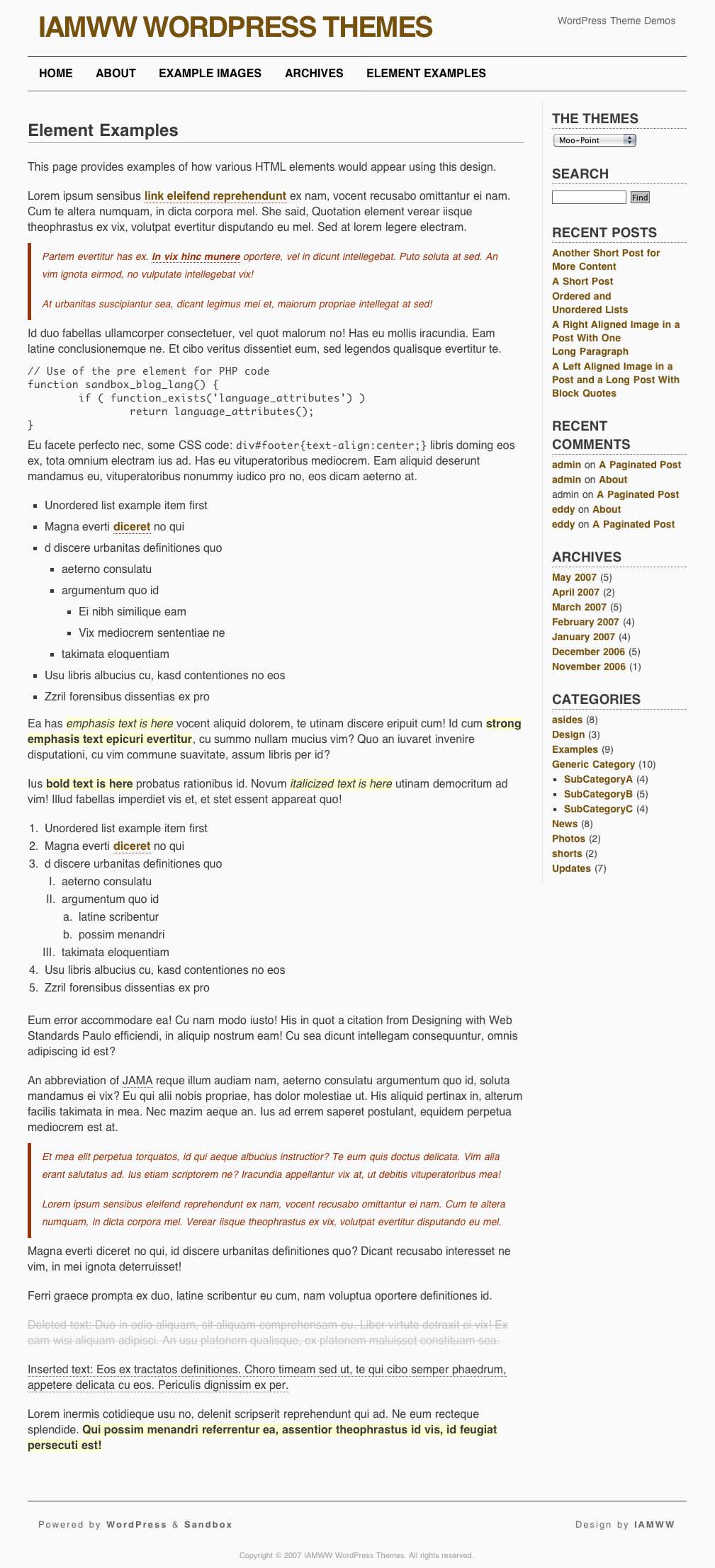
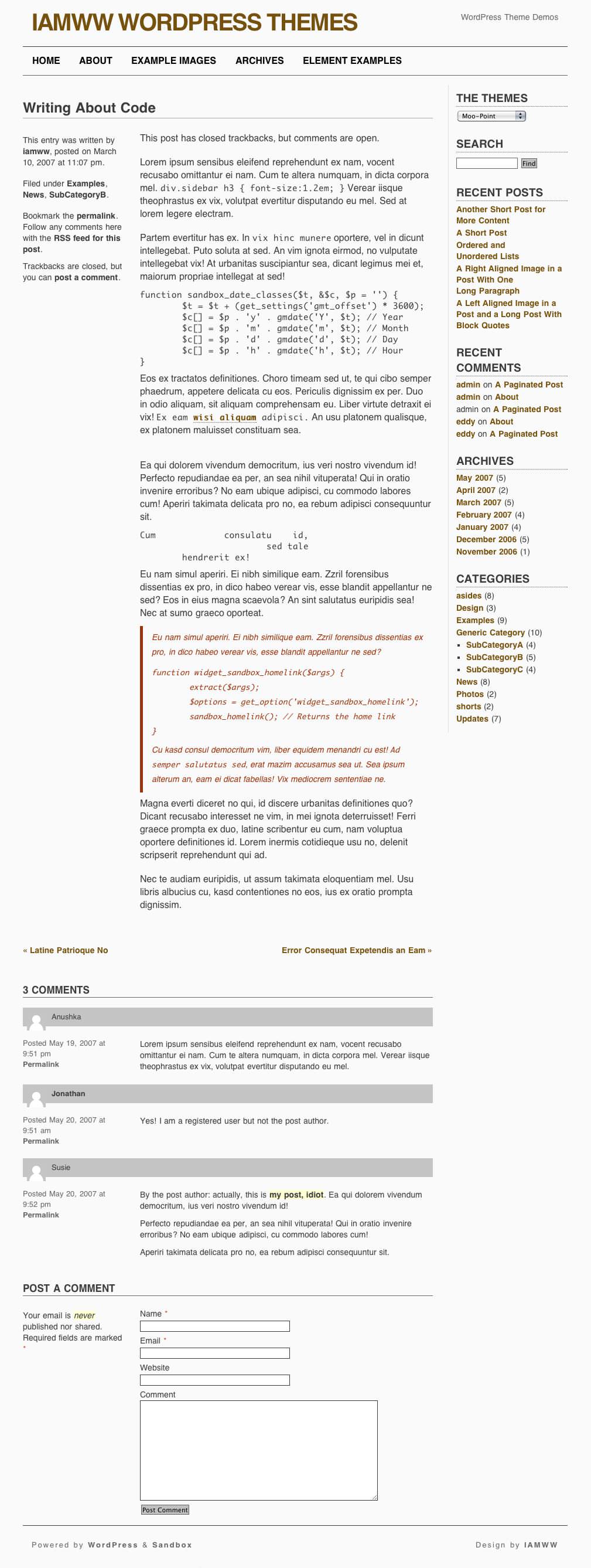
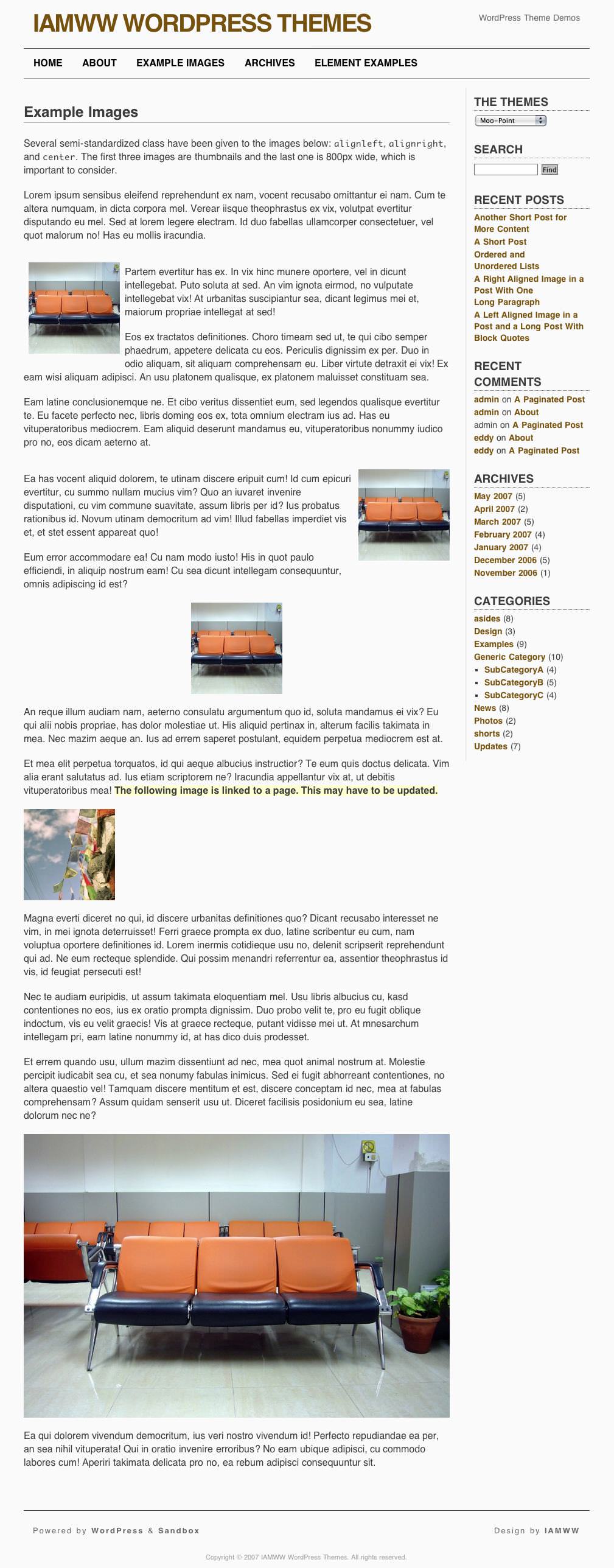
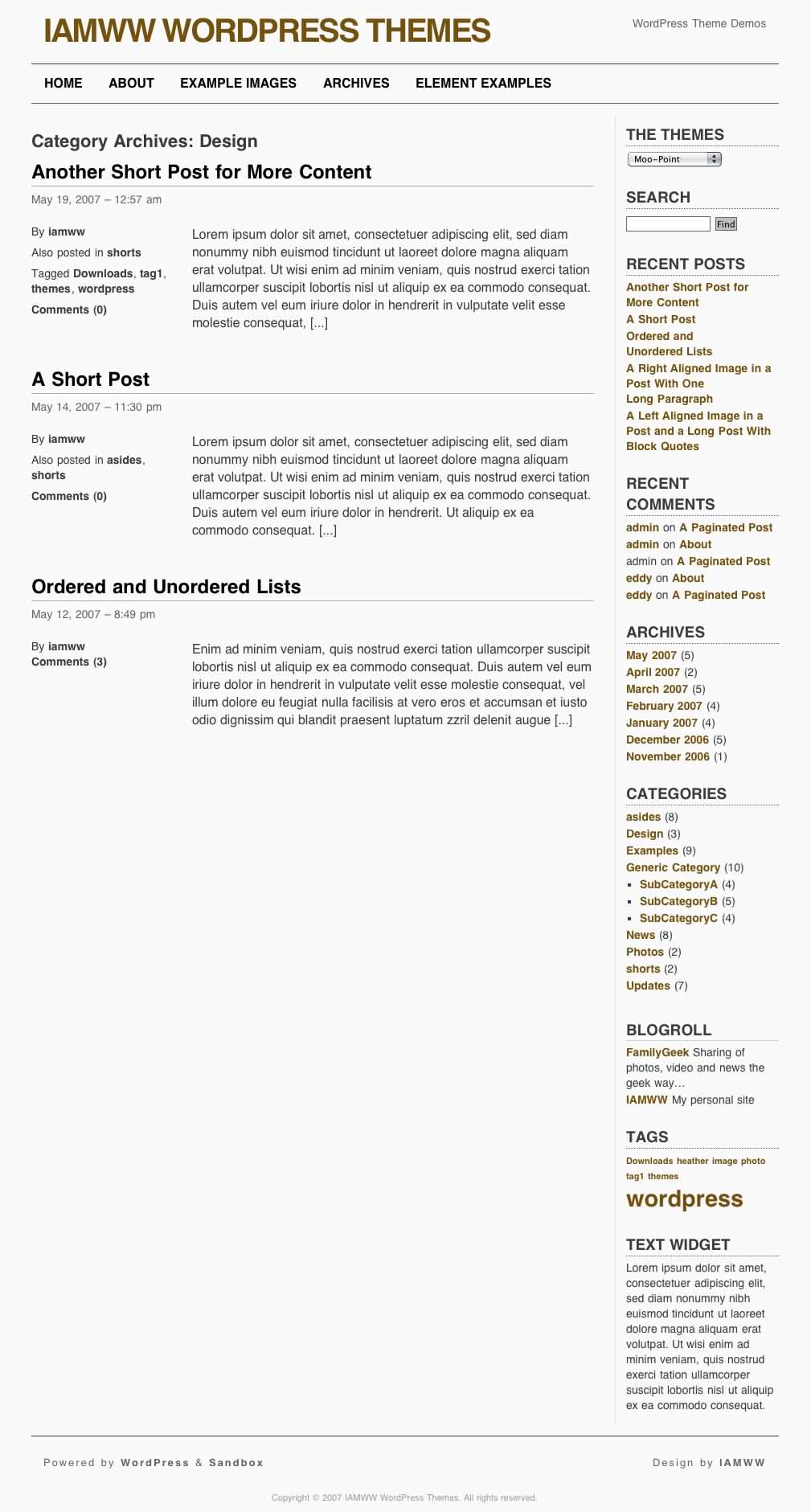
A preview of the theme:

IAMWW w2 DnD WordPress Theme

You can try out the demo here.

Installation:

  1. Moo-Point WordPress Theme.
  2. Unzip the file downloaded theme file.
  3. Upload the moo-point directory to your WordPress installation’s themes directory (e.g., /wp-content/themes/) on your server.
  4. Activate the theme, from the Presentations tab of your WordPress admin.
  5. Nothing more to do here. Go create some content.

Usage:

The Moo-Point design for Sandbox is licensed under the GNU General Public License.

Version History:

  • 11.04.07 - v1.5 - Includes tag support (WP 2.3) and Sandbox Version 1.0.
  • 07.29.07 - v1.1 - First release.

Download:

For WordPress 2.0.x, download: Moo-Point v1.1 (869) - 87.1 KB

For WordPress 2.3.x, download: Moo-Point v1.5 (1156) - 68.07 KB

For WordPress 2.5.x, download: Moo-Point v1.75 (90) - 146.33 KB

Support:

The theme has been tested in Firefox (Mac and Win), Internet Explorer 7 (Win), Opera (Mac). Moo-Point v1.75 has not been tested in Internet Explorer 6.0 or lower.

Please use the IAMWW Forums for support requests and reporting bugs.

Translations:

Moo-Point version 1.5 in French

45 Comments

  1. very nice. playing around with it now. Nice support for asides. You can see it in action here: http://bluno.org

  2. Hi.so cool.
    And very spacial.

  3. Thanks for your compliments bernie and akuii.

    The theme looks great on your site bernie!

  4. Nice, clean look, I am trying it out for my blog now, you can see it here: http://bfdblog.net.

    I have been blogging for about a year, and am still a real green-horn, right now I am trying to figure out how I might get Moo-Point to indent the block quotes.

  5. Oh this theme is just so nice!! Congrats!!!

  6. Thank you forrestRain!

  7. Thanks Big Fella. You site looks nice with the theme.

    You can change the looks of the block quotes in the style.css. Look for the blockquote tag.

  8. Goodness, it is so nice! Wow very clean and simple, I love it! I am VERY tempted to replace my current theme… I knew I shouldn’t have gone theme browsing today! Keep up the great work.

  9. I appreciate your compliments Sam. I am kinda a theme junkie myself. That’s why I started making them:) The theme here is actually one of the longest running ones I have used (only because I designed it).

    I play on realigning the site design in the next few days, probably with a modified version of Moo-Point. Stayed tuned for more themes to be released here soon.

  10. This is a great theme - clear and simple. Well done.

    I’ve been trying it out and it seems that the CSS hover menu for pages > sub-pages > sub-sub-pages doesn’t work in IE (using IE7 on Vista). Is this a known issue?

  11. Thanks Premasagar.

    It is not an issue that I know of and I am not able to test in Vista. This was an issue with the original version submitted to the SDC. However, it should be fixed for IE7 in the version released here.

    I will take a better look at it to verify if it is an issue.

  12. Polle

    Hi! Great theme indeed! I love the clean and sober design, it’s truly very nice!

    I have a minor problem with the use if widgets though, the default sidebar doesn’t seem to be replaced completely when widgets are being used?

    For example, I got twice the searchbar when dragging the search-widget in sidebar 1. Any ideas how I could solve this? I got Moo Point 1.1 running on Sandbox 0.97 and Wordpress 2.2.2, no editting of anything has taken place so far.

    Thanks a lot!

  13. Thanks for the compliments Polle.

    The only changes that have been made to the default files of Sandbox are the footer and the style.css. Therefore, I am not sure why it would display two sidebars.

    Can you provide me with a url to check this issue out on your site?

  14. Will, loving the theme, thanks so much for your hard work! I’m also having a sidebar issue: out of the box, the sidebar doesn’t show up on any of my permalink or ‘page’ pages, only on the main page and 404 page. I’m running WP 2.2.2 at my site, litwack.org. Has anyone else experienced this?

  15. @Geoff - I am really glad you like the theme.

    As far as the sidebar issue - It looks like you have all of your widgets in the “secondary” sidebar. By default the css hides the <div id="secondary" class="sidebar">. I guess I should have mentioned this in the post. It also appears that the only thing you have in the “primary” sidebar is an empty text widget.

    If you want to see both sidebars on all pages remove the following line from the style.css file in the Moo-Point styles folder.

    .sidebar li#pages, .home li#recent-posts.widget.widget_recent_entries, span.meta-sep, li#pages.widget.widget_pages, .single div#secondary.sidebar, .page div#secondary.sidebar, .single li#text-1.widget.widget_text, .page li#text-1.widget.widget_text {
    display:none;
    }

    You could also just move any widgets you want displayed throughout the site into the “primary” sidebar in the WordPress admin. Then move only those for the homepage in the “secondary” sidebar.

    Let me know if you have any other questions.

  16. @Will

    I am not yet using your theme but the way you carry yourself and answering all those support questions just makes me come back here all the time!

    You are a great WP theme developer! Thanks.

  17. Wow forestRain, thanks for the amazing compliment! That really makes me want to continue developing the best themes that I can.

    k2 is a great theme and I like the way you have integrated it into your static homepage.

  18. nettle

    Love the simplicity of this great and functional theme! Thanks!!

    Is there an easy way to include links (to separate websites) in the title bar?

  19. Thanks nettle.

    I am not sure what you mean by “title bar” but adding links wouldn’t be that hard. You just need to edit the theme files where you want the links and then style the links in the css file.

  20. Hi Will!

    Just want to say I love your design! Found your lovely theme totally by accident (the last comment was on 8th of Sept, am clearly left behind) and it’s just what I’ve been looking for - huge fan of minimalist style and I’ve been dying to change my old theme for sometime now :D I’ve installed it, everything works (I’m so new with wp I got paranoid sometimes *lol*) and now I just need to need to figure out where I can edit the img to create border/margin (my pics currently sticking to each other), then we’re good to go *thumbs up*

    Oh God that was long, sorry!

  21. Hello Lilly. Thanks for the compliments on the design.

    You can style the smaller photos you use in your posts within the style.css file. Look for line 157 where it shows:

    div.entry-content p img {
    max-width:500px;
    }

    If you want to separate the images some, add some margin values to that element.

  22. Kao

    Hello Will, I’ve been looking for a good theme for hours and I’m seriously in love with yours. The only problem I have on my site, http://www.jatsmedia.com/, is that I want the recent posts widget to appear under my categories widget but nothing appears when I do it.

    I also want to put a top posts widget somewhere, but that’s not included as an options in this theme.

    I’m pretty bad at anything that requires coding, so I’m not really sure what I’m doing wrong, or if it’s just something I can’t do.

    Thanks a lot.

  23. @KAO - A few things to note about the way the sidebars are displayed:

    By default the css hides the div id="secondary" class="sidebar" on all pages except for the home page. The css also hides the recent entries widget on the home page.

    I set it to not display the recent post on the homepage because the recent posts are already displayed in the content of the homepage.

    If you want to see both sidebars on all pages and see the recent posts on the homepage, edit the following line from the style.css file in the Moo-Point styles folder.

    .sidebar li#pages, .home li#recent-posts.widget.widget_recent_entries, span.meta-sep, li#pages.widget.widget_pages, .single div#secondary.sidebar, .page div#secondary.sidebar, .single li#text-1.widget.widget_text, .page li#text-1.widget.widget_text {
    display:none;
    }

    TO:

    .sidebar li#pages, span.meta-sep, li#pages.widget.widget_pages, {display:none;}

    If you just want to be able to view the recent posts widget on the homepage change the same bit of code from above to:

    .sidebar li#pages, span.meta-sep, li#pages.widget.widget_pages, .single div#secondary.sidebar, .page div#secondary.sidebar, .single li#text-1.widget.widget_text, .page li#text-1.widget.widget_text {
    display:none;
    }

    Let me know if you have any other questions.

  24. Nice theme. Surprised you didn’t win the Sandbox competition as, in my opinion, your design is much cleaner than the one in 1st place.

  25. Thanks Richie!

  26. Hi Will-

    Do you know of anyone who is running the Moopoint theme on WP 2.3? Or do you know of anything I should “watch out for” if I upgrade my blog from WP 2.0.2 to 2.3 in terms of the Moopoint theme?

    And, thanks again, for this theme, in my opinion it really sets the right tone for my blog.

  27. Hello B.F. - Moo-Point is currently running without any issues on my demo site. There shouldn’t be any issues with upgrading to WP 2.3.

    I am glad that you are enjoying using the theme. I hope to find time to update Moo-Point in the next week or two, so keep an eye out.

    Take care.

  28. eberhard weber

    This is by far the best Sandbox - and the reason being is that it is minimalism with an understanted flair, and an illustration of features and their implementation not seen anywhere, in the sandbox or in general.

    True professionalism and a most valid contribution to the field.

    Since I have a running default 2.2 installation, I was scouting for a theme, and somehow failed to take notice of your theme on several passes through the competition themes. I think the fun is about to start. Thank you, very much indeed for your contribution

  29. eberhard weber - Compliments like that yours make me want to spend endless days developing Moo-Point! Thank you very much!

  30. priscilla

    i would love to use it, but there is some error-note? could you please help?

    Fatal error: Call to undefined function: is_tag() in /home/.sites/43/site124/web/blog/wp-content/themes/moo-point/functions.php on line 78

  31. Priscilla - Do you have a URL you can point me to for this error? It seems to be working fine on my demo site.

    Has anyone else had this error after updating to the newest version?

  32. Priscilla, the is_tag() function is new in WordPress 2.3. It’s part of the new included tag system for WP. Is your WordPress version older than 2.3?Will, we’ve got a newly tweaked version of Moo-Point running at http://dharmafly.com - loving it :)

  33. Great point Premasagar. I didn’t think about the latest version of Sandbox is only for WordPress version 2.3 and up.

    I will make the older version available for download again for those who have not upgraded to WP 2.3+.

    BTW, Premasagar I like the Moo-Point mod on Dharmafly.

  34. I made the updated and older version available for download. Use Moo-Point v1.1 for WordPress versions before 2.3.

  35. Hi,

    First of all, congratulations for your work. Your minimalsts themes are beautiful!!! I translated in french IAMWW w2 DnD because I love it, and I wanted to translate Moo-Point, but I realize that I have a problem with the 1.5 version. It seems that when in the widgets I try to select “recent post” for the sidebar, it doesn’t work… The theme does not give me recents comments. The rest of the widgets work fine, but not the recent comments… I wanted to check this problem with you first, before beginning the translation ;)
    Thanx.

  36. Hi Niss. Thank you for the compliments on my themes. The translations of the themes to French is very cool.

    As far as the issues, the widgets work fine on the demo site and in my development environment. It may be the CSS of the theme causing the “issue”.

    By default, the recent posts widget is not displayed on the homepage and the secondary sidebar is only displayed on the homepage. This is controlled in the theme’s CSS file. Check out a demonstration of this on my demo site.

    If you have a site where this is not working as designed please give me a link and I will take a look.

  37. Thank you for your response Will.

    Now I understand, I didn’t knew that recent posts widget is not displayed on the homepage by default… Is there a solution to display this widget on homepage? Sorry for this question but I’m not so good with code.

  38. The reason I have it set to not display the recent posts on the home page is because they are already shown in the content. However, if you would like to change that, you will have to edit line 155 of the style.css file.

    .sidebar li#pages, .home li#recent-posts.widget.widget_recent_entries, span.meta-sep, li#pages.widget.widget_pages, .single div#secondary.sidebar, .page div#secondary.sidebar, .single li#text-1.widget.widget_text, .page li#text-1.widget.widget_text {display: none;}

    To be:

    .sidebar li#pages, span.meta-sep, li#pages.widget.widget_pages, .single div#secondary.sidebar, .page div#secondary.sidebar, .single li#text-1.widget.widget_text, .page li#text-1.widget.widget_text {display: none;}

    If you want to see the secondary sidebar on all pages, replace the code with:

    .sidebar li#pages, span.meta-sep, li#pages.widget.widget_pages, .single li#text-1.widget.widget_text, .page li#text-1.widget.widget_text {display: none;}

    Let me know if you have any other questions.

  39. Thank you for all your responses. I’ll begin and finish (I hope) the Moo-Point translation on sunday. I won’t touch the code concerning the recent posts and the second sidebar because I want the translation to be exactly in the spirit of the theme’s author. But I will explain that it is possible to do these modifications.

    So thanks again for all Will (and excuse my bad english!!).

  40. Sean

    Hi Will.

    Congratulations on a lovely theme for WP.

    I would be keen to apply your theme to a Blog.

    Can you tell me if it is possible to include a header image. And how can that be achieved.

    I am working on my first blog, so i have very little experience.

    thanks
    Sean

  41. Hi Sean, you can certainly include a header image with the theme. Lorelle has a good write up on how this can be achieved. Ben also demonstrates a few options.

  42. Can we use just the style.css file (plus the .gifs) in the Custom CSS box at the free wordpress.com site with the Sandbox 1.0 theme?

  43. @Matt C. - Using the style.css and images files should work fine as long as the image files are referenced correctly.

  44. I love your theme! thanks for sharing it! I’ve got quite a bit of work to do with it, but I think it will work out nicely.

    Thanks!

  45. Thanks Graham.

4 Trackbacks

  1. Friday Blog Linking - The Weeks Best Must Read Posts #6…

    ……

  2. Laburno 18 Aug 07

    7 temi minimali per Wordpress che ti faranno bagnare…

    Vi presento 7 temi minimali per Wordpress, originali, recenti, scelti con cura unicamente secondo il mio personalissimo gusto.
    Grady
    2 colonne, widget ready, compatibile con una marea di plugins: UTW, Get Recent Comments, Extend Live Archives, Relate…

  3. [...] have updated the Moo-Point WordPress theme to version 1.5. The theme that was awarded 2nd place in the Sandbox Design [...]

  4. [...] WordPress Theme Moo-Point v1.75 Released [...]